
There are no prices on this website, because nothing here is sold from stock. Every order is made to your specification - your fabric, your sizes, your colours, your logo. The Get Price button is how you ask us what your order will cost. The whole thing takes about a minute, and you can ask about as many products as you like in a single inquiry.
Step 1 - Find Your Product
Browse the product pages and open the styles you are interested in. Every product card and every product page carries a Get Price button under the product name.
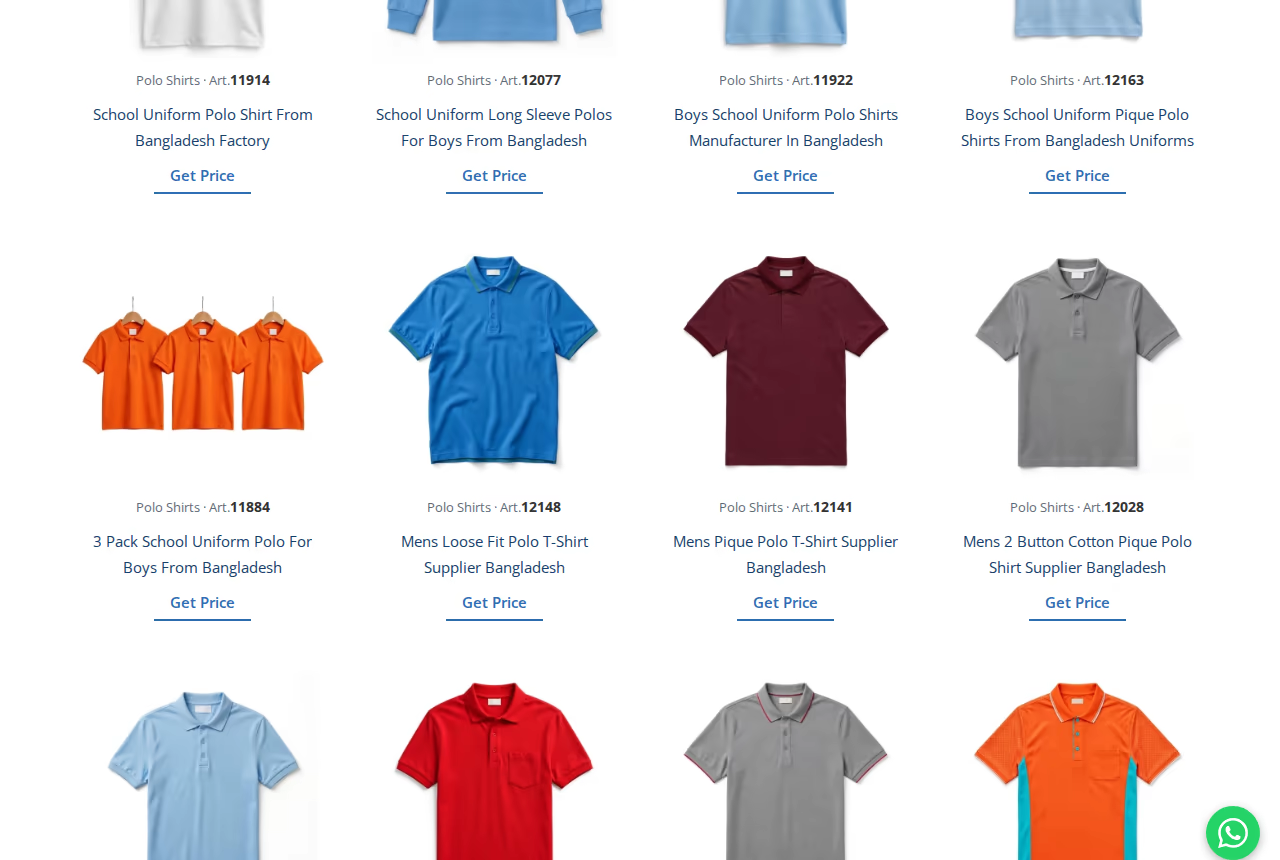
Step 2 - Tap Get Price
Tap Get Price and the product goes straight into your inquiry basket. A small message at the bottom of the screen confirms it: You are added to the inquiry basket. Nothing else opens or interrupts you - just keep browsing.
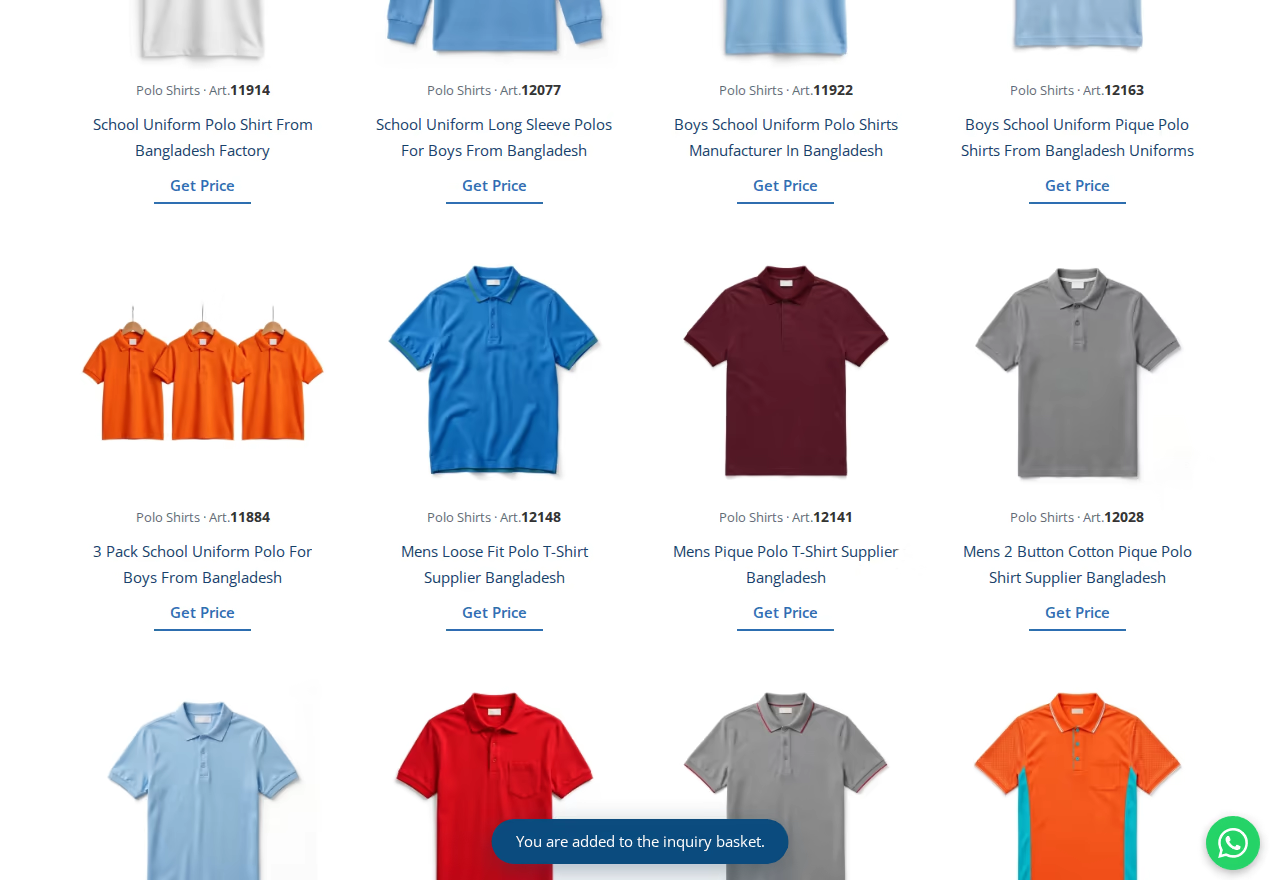
Step 3 - Add Everything You Need
Repeat the same tap for every product you want priced. The basket icon at the top of the page keeps count of how many products you have picked. If you tap the same product twice, it is still added only once.
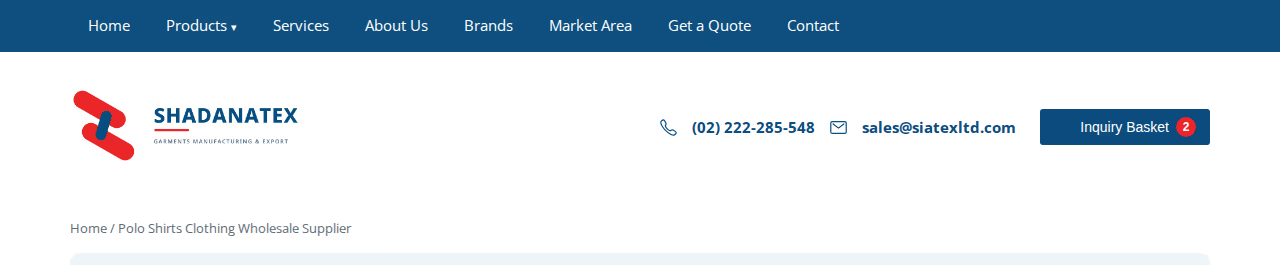
Step 4 - Open Your Basket
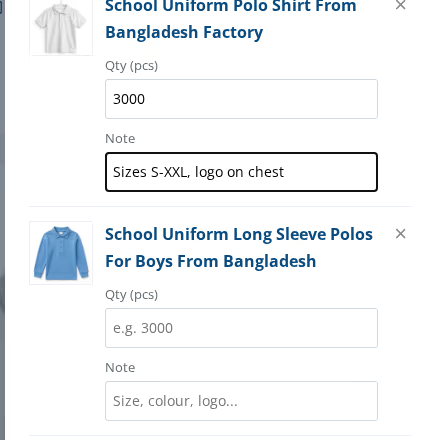
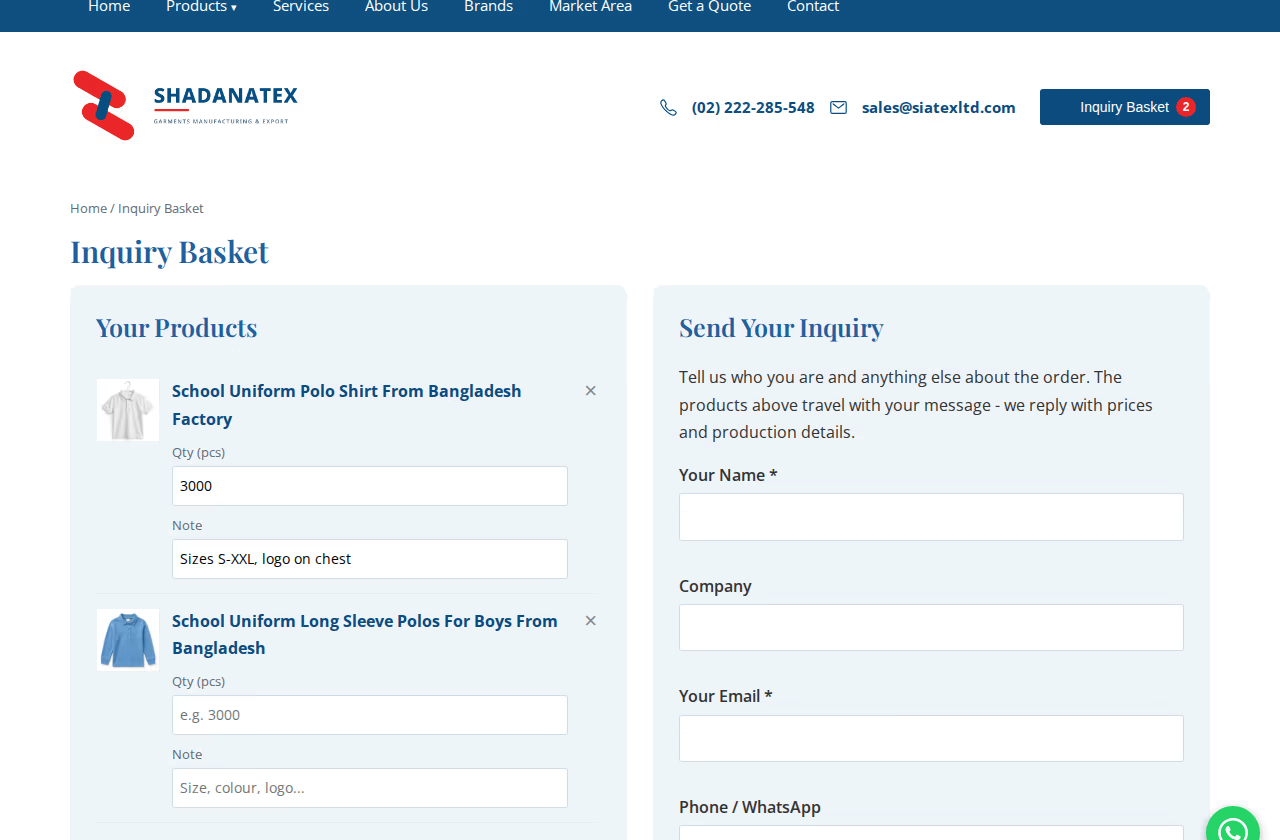
When you are ready, tap the basket icon at the top of the page. Your basket opens with every product you picked, each with its picture and name, so you can check the list before sending.
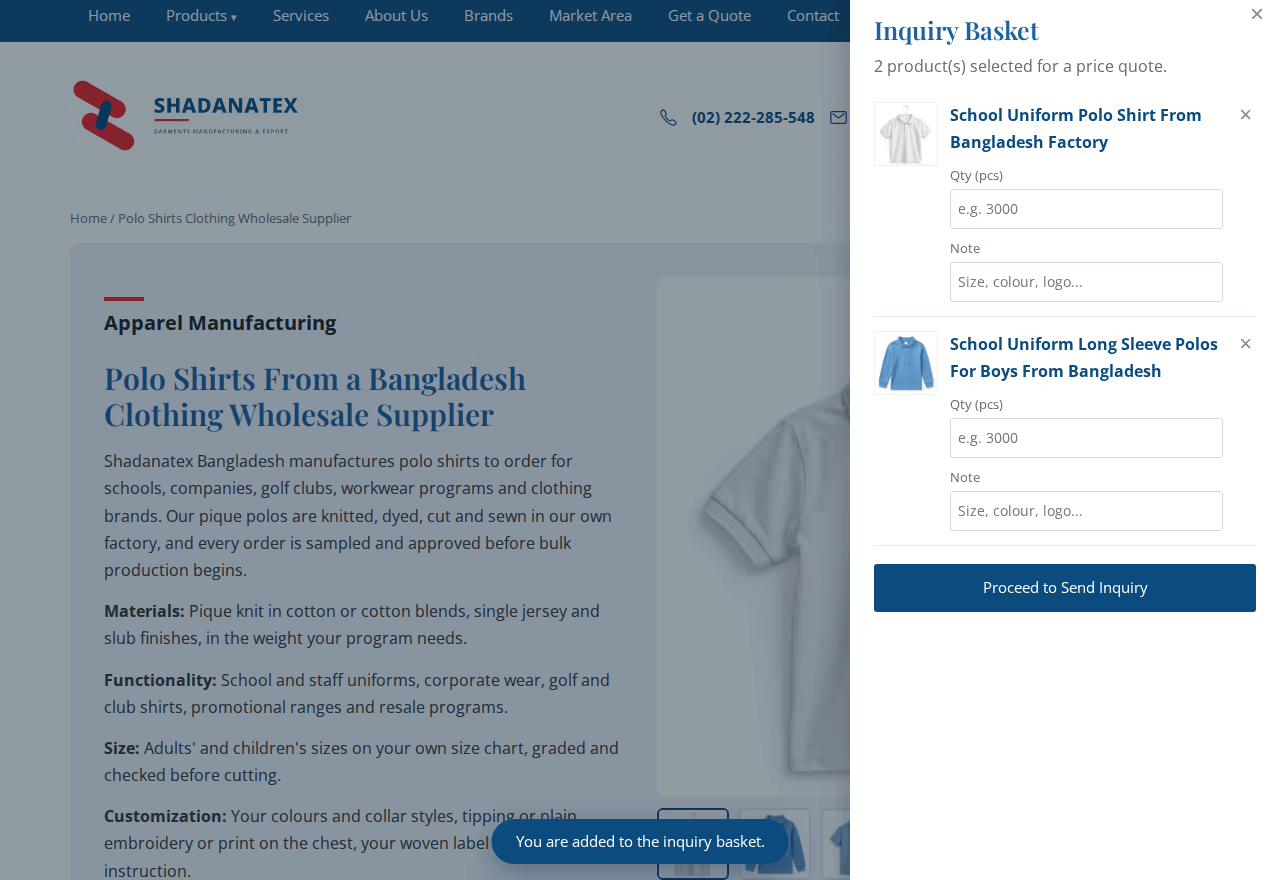
Step 5 - Add Quantity and a Note
Next to each product, write the quantity you have in mind and a short note - sizes, colours, fabric, your logo, anything that matters. The more precise your note, the more precise our price.
Step 6 - Send the Inquiry
Tap Proceed to Send Inquiry, fill in your name and email, and send. Your product list travels with the message, so there is nothing else you need to attach or repeat.
What Happens Next
Your inquiry lands directly with our sales team. We check the fabric, sizes and quantities and reply by email with your price and the next steps. If anything in your note is unclear, we ask before quoting - never after. And if you would rather talk first, you can always reach us through the contact page.